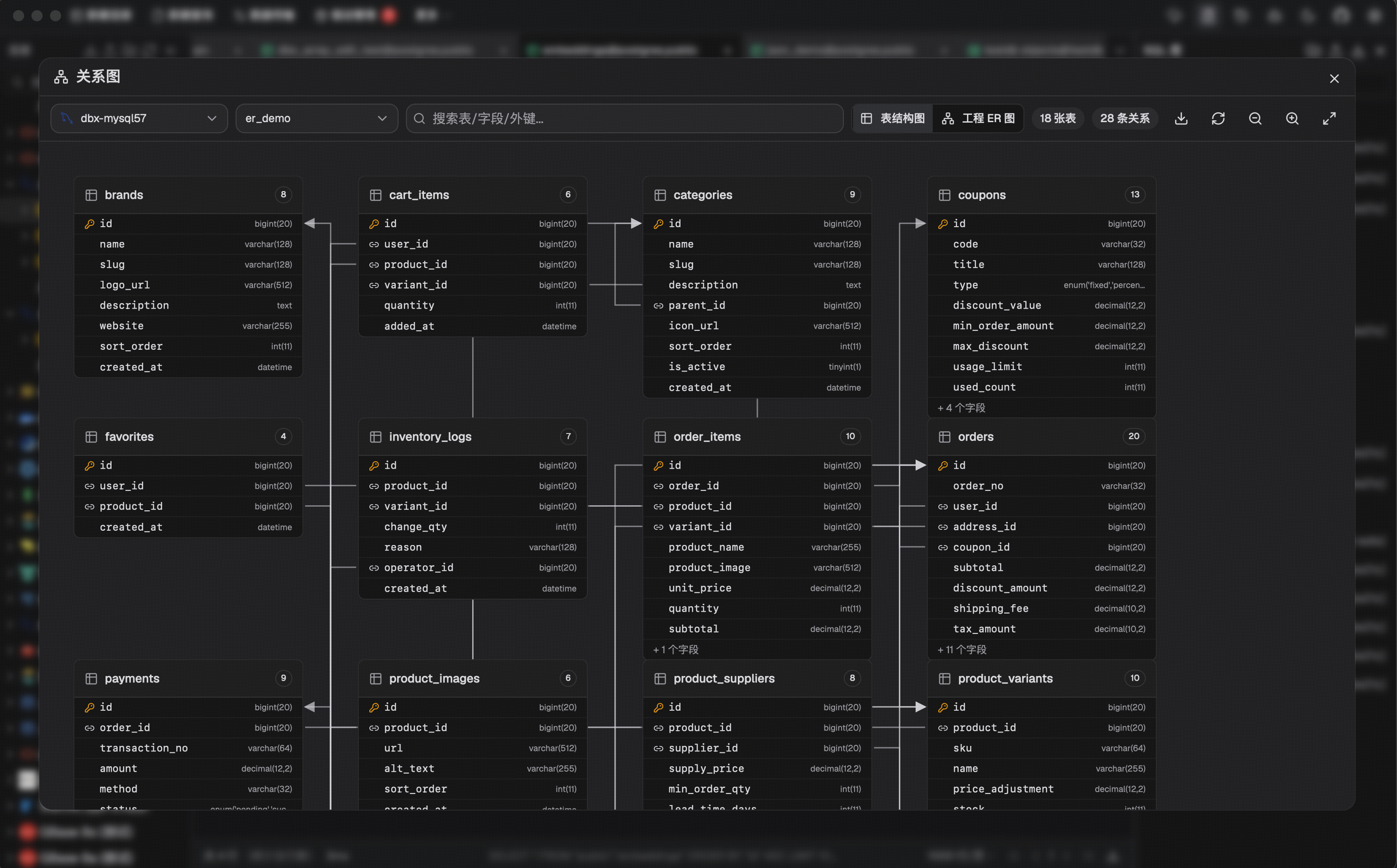
DBX is a fast, lightweight database management client for developers, DBAs, and data teams — offering a CodeMirror-powered SQL editor, virtualized data grids with inline editing, schema browser, ER diagrams, schema diff and cross-engine transfer, AI-assisted query drafting, SSH tunnel support, and both desktop installers and a Docker-based self-hosted web mode. It's ideal for multi-database projects where you want a single, focused tool to browse, query, export and migrate data across many engines without heavy runtimes.
DBX — 20 MB to manage 60+ databases
DBX is a lightweight, open-source database client that brings together connections, SQL editing, data grids, schema tools, AI assistance, and self-hosted access in a single, fast desktop application. With a tiny installer and a broad ecosystem of engines, DBX is built for focused, real-world database work.
Why DBX shines
- A small footprint that starts fast but scales to powerful workflows.
- Native Rust drivers and no JDBC runtime for snappy performance and reliability.
- Desktop and self-hosted web deployment from the same project, plus Docker for team access.
- Fully open-source with active community contributions and transparent development.
Core features
-
Multi-database support (60+ engines)
Connect and manage SQL, NoSQL, embedded databases, and MySQL/PostgreSQL-compatible engines without juggling tools. -
Code editor for SQL
Write, format, and run SQL with a metadata-aware code editor. Features include intelligent completion, history, and streamlined execution. -
Data grid and export tools
Virtualized data grids with inline editing, filtering, sorting, and preview capabilities. Export to CSV, Excel, SQL inserts, and cross-engine transfers. -
Schema tools
Navigate schemas with a focused sidebar, view properties and DDL, and generate ER diagrams. Compare schemas and perform diffs to simplify migrations. -
AI-assisted queries
An AI assistant helps draft queries from natural language and handles common JOINs and aggregations to speed up work. -
MCP server and agents
Integrated MCP server enables agents to inspect database context, enabling automation and integration workflows. -
Security and safety
SSH tunnel support, encrypted config export, and destructive action guards help keep operations safe. -
Cross-engine data transfer
Move data between engines and across different database types with streamlined tooling.
Core workflows
-
Query editing and execution
CodeMirror-based editor with autocompletion and formatting tailored to your database. -
Data browsing and editing
Browse, edit, and validate data in a responsive grid with practical controls over sorting and filtering. -
Schema exploration and review
Inspect tables, columns, indexes, foreign keys, and triggers; perform schema diffs and export schemas. -
Schema comparison and migrations
Diff tooling, table imports, database exports, SQL file execution, and cross-engine data transfer to simplify migrations. -
Data export and reporting
Export raw data or curated views to CSV, Excel, or SQL inserts for reporting and pipelines.
Database and platform support
- Engines include MySQL, PostgreSQL, SQLite, Redis, DuckDB, ClickHouse, SQL Server, MongoDB, Oracle, Elasticsearch, and many more.
- Platforms: macOS (Apple Silicon and Intel), Windows, Linux x64 and Linux ARM64.
- Desktop-first workflow with Docker deployment for browser-based access.
Self-hosted and community-driven
- Desktop app and Docker-ready for team or self-hosted setups.
- 20 MB installer delivering a full-featured client.
- Open-source with a growing list of contributors and active discussions on GitHub.